
A stamp card for taquerias
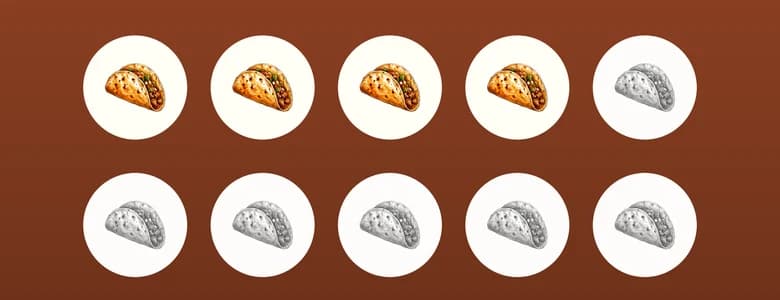
Ten orders and the next one is on the house, with a taco as the stamp. When you create your account, pick “Restaurant” and keep its stamp card: it's the one shown here.
You start with this card and can change it before you pay.
 Powered by Fidelip.com
 Powered by Fidelip.com
Why this card
Stamps, because they come often and order the same
An order is a small, frequent check. One stamp per visit takes one sentence to explain in line, and the card fills with each week's routine.
Fast at the rush
The cashier scans the Wallet QR with the app and the stamp lands right away. If the customer has no phone, staff find them by name, card ID or phone and add it without the QR, if you allow it.
Your stamp, not a circle
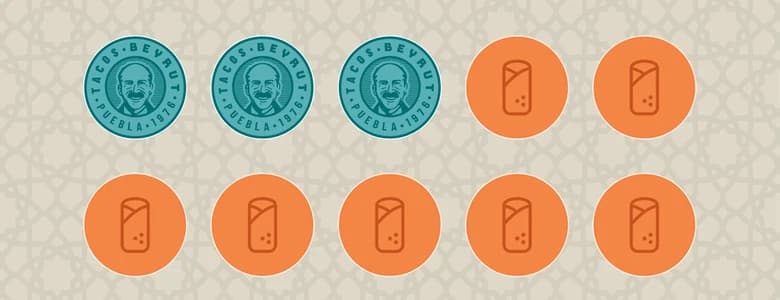
The card starts with the illustrated taco from Fidelip's library. If you have your own stamp, like Tacos Beyrut, upload it and the card uses it.
The other two it offers you
- Points
- 1 point per dollar and $20 in credit at 200. For big to-go orders for the whole family.
- Membership card
- 15% off the bill, not combinable with other offers.
When you create your account you see all three, finished, and pick one.
The survey
Two questions, in kiosk mode
- How likely are you to recommend us to a friend?
- What's the main reason for your score?
Short enough to answer while the order comes out. Build it in the survey editor.
Worth turning on
- Double stamps one day a week
- A 2x promotion on your slowest day, on your business's clock. Staff see it in the app when they add the stamp.
- Refer a friend
- Whoever shares their link earns a bonus when the friend signs up or makes a first purchase; you choose which.
- A survey on the counter tablet
- Kiosk mode leaves a tablet with the survey in view; staff unlock it with their PIN.
Frequently asked questions
- What if the signal drops in the shop?
- The Fidelip Staff app keeps the stamps it couldn't send and sends them when the connection is back.
- How many people can use the app?
- Up to 5 staff accounts per location, plus kiosk accounts.